
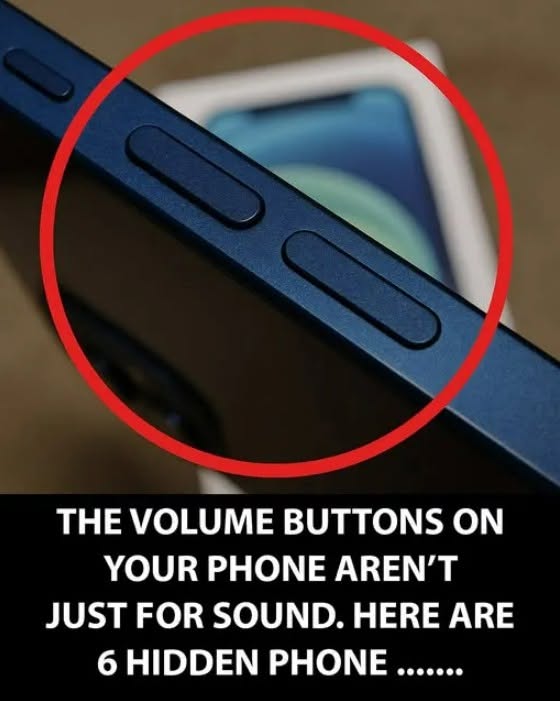
Most of us use our smartphones every day, but many of us only scratch the surface of what they can actually do.
Beyond calls, messages, social media, and photos, modern phones include small shortcuts and features designed to make everyday tasks faster and easier.
Here are several useful smartphone tricks worth knowing.
Silence an Incoming Call Instantly
Imagine you’re sitting in a meeting, watching a movie, or enjoying a quiet dinner when your phone suddenly starts ringing.
You don’t need to unlock the screen and search for the right option.
On many smartphones, simply pressing the volume-down button will silence the ringtone immediately.
The incoming call isn’t rejected—you’ve simply stopped the sound.
It’s a small trick, but one that can save you from an awkward moment.
Open Your Camera Faster
Sometimes the perfect photo opportunity lasts only a few seconds.
Unlocking your phone, finding the camera app, and opening it can take long enough to miss the moment.
Fortunately, both iPhone and Android devices offer shortcuts that can open the camera directly from the lock screen or through hardware gestures, depending on the model.
Take a few minutes to learn the shortcut available on your particular phone.
Once you’ve memorized it, you’ll never need to hunt for the camera app when something unexpected happens.
Use Your Phone’s Built-In Shortcuts
Modern smartphones contain numerous gestures and shortcuts that aren’t always obvious.
For example, depending on your device, you may be able to:
- Take screenshots with a button combination
- Quickly switch between recently used applications
- Turn on the flashlight without opening an app
- Search your phone instantly
- Access the camera from the lock screen
- Use voice commands for hands-free tasks
The exact options vary between iPhone models, Android versions, and manufacturers, so it’s worth exploring your phone’s settings.
Your Phone Can Help Reduce Distractions
Smartphones are incredibly useful—but they can also interrupt you constantly.
Features such as Do Not Disturb, Focus modes, and notification controls allow you to decide when your phone should remain quiet.
Instead of turning off every notification permanently, you can often create schedules for work, sleep, driving, or other situations where interruptions aren’t welcome.
This can make the phone work around your routine rather than constantly demanding your attention.
Protect Your Eyes at Night
If you regularly use your phone in the evening, look for features such as Night Shift, Night Light, or similar display settings.
These modes can change the appearance of the screen and reduce harsh brightness in darker environments.
Lowering the screen brightness and avoiding extremely bright displays in a dark room can also make nighttime phone use more comfortable.
Make Your Battery Last Longer
You don’t always need to charge your phone immediately when the battery starts running low.
A few simple adjustments can reduce power consumption:
- Lower screen brightness
- Reduce unnecessary notifications
- Turn off features you aren’t using
- Use battery-saving mode when appropriate
- Check which apps consume the most battery
- Keep your phone’s software updated
The screen is often one of the biggest sources of battery consumption, so reducing brightness can make a noticeable difference.
Check Which Apps Are Using Your Battery
If your phone suddenly seems to lose battery much faster than usual, don’t immediately assume the battery is damaged.
Open the battery section in your phone’s settings and check which applications are consuming the most power.
You may discover that an app you rarely use has been running extensively in the background.
Removing unnecessary apps or adjusting their background permissions can sometimes improve battery life.
Turn Your Smartphone Into a Useful Everyday Tool
Your phone can be much more than a communication device.
With the right settings, it can help you manage notifications, take photos quickly, protect your privacy, save battery, and make everyday tasks more convenient.
The biggest challenge is simply knowing that these features exist.
The Bottom Line
You don’t need to download dozens of extra applications to make your smartphone more useful.
Many of the best tricks are already built into the device.